 Meridian One
For iPhone, from your Windows PC
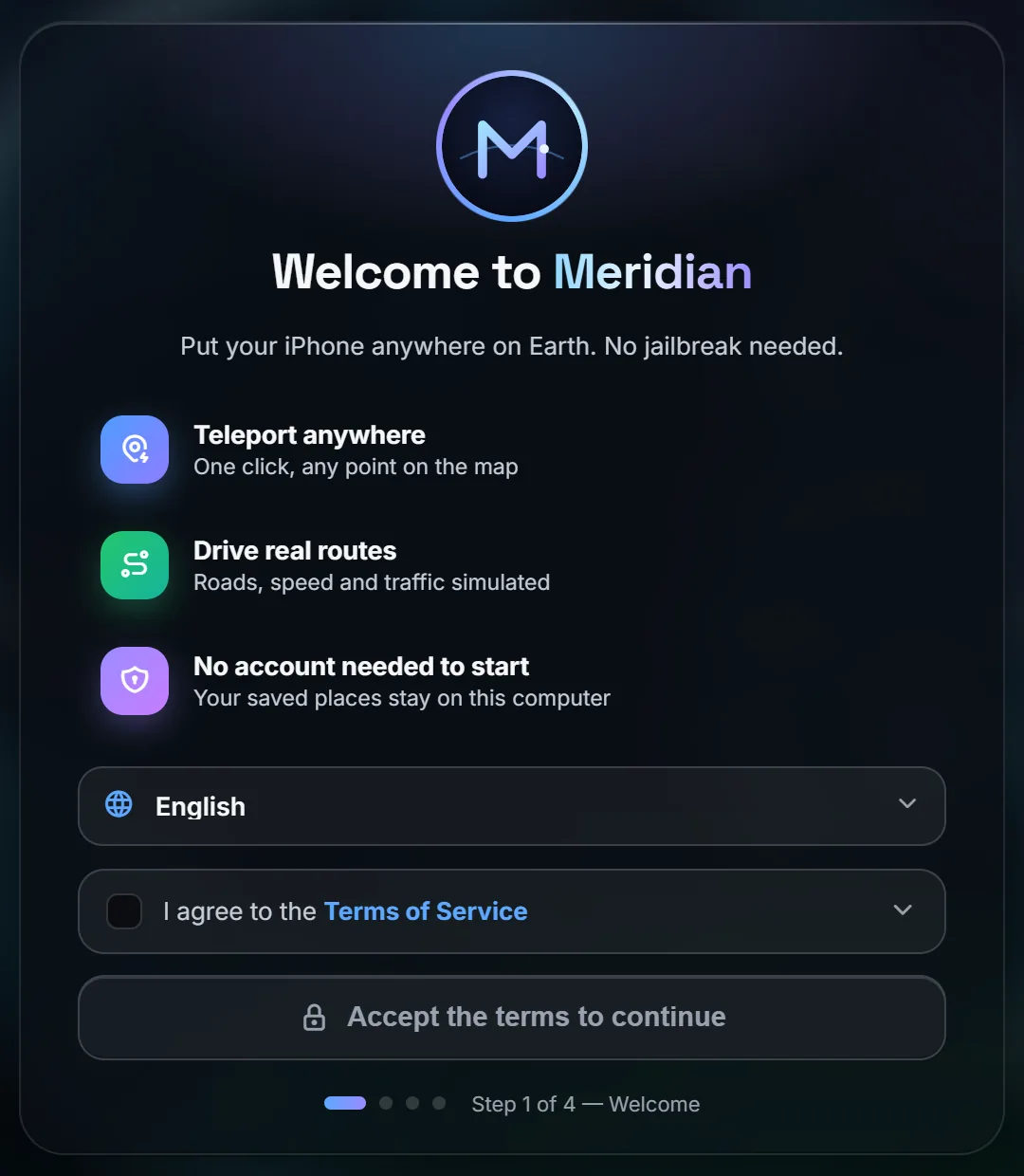
Put your iPhone anywhere on Earth.
Meridian One sets the location your iPhone reports to every app. Drop a pin on any street in the world, or drive a real route at real speeds. No jailbreak, nothing installed on the phone.
- Windows 10 and 11
- iPhone on iOS 17 or later
- Free one-hour trial
Apple's own developer service
The same location simulation Xcode uses. Nothing exploits iOS.
No jailbreak, no phone app
You switch on Developer Mode once. Nothing is installed on the iPhone.
System-wide
Maps, weather and every other app see the same new location.
One click back
Press Stop and your iPhone returns to its real location.
Teleport
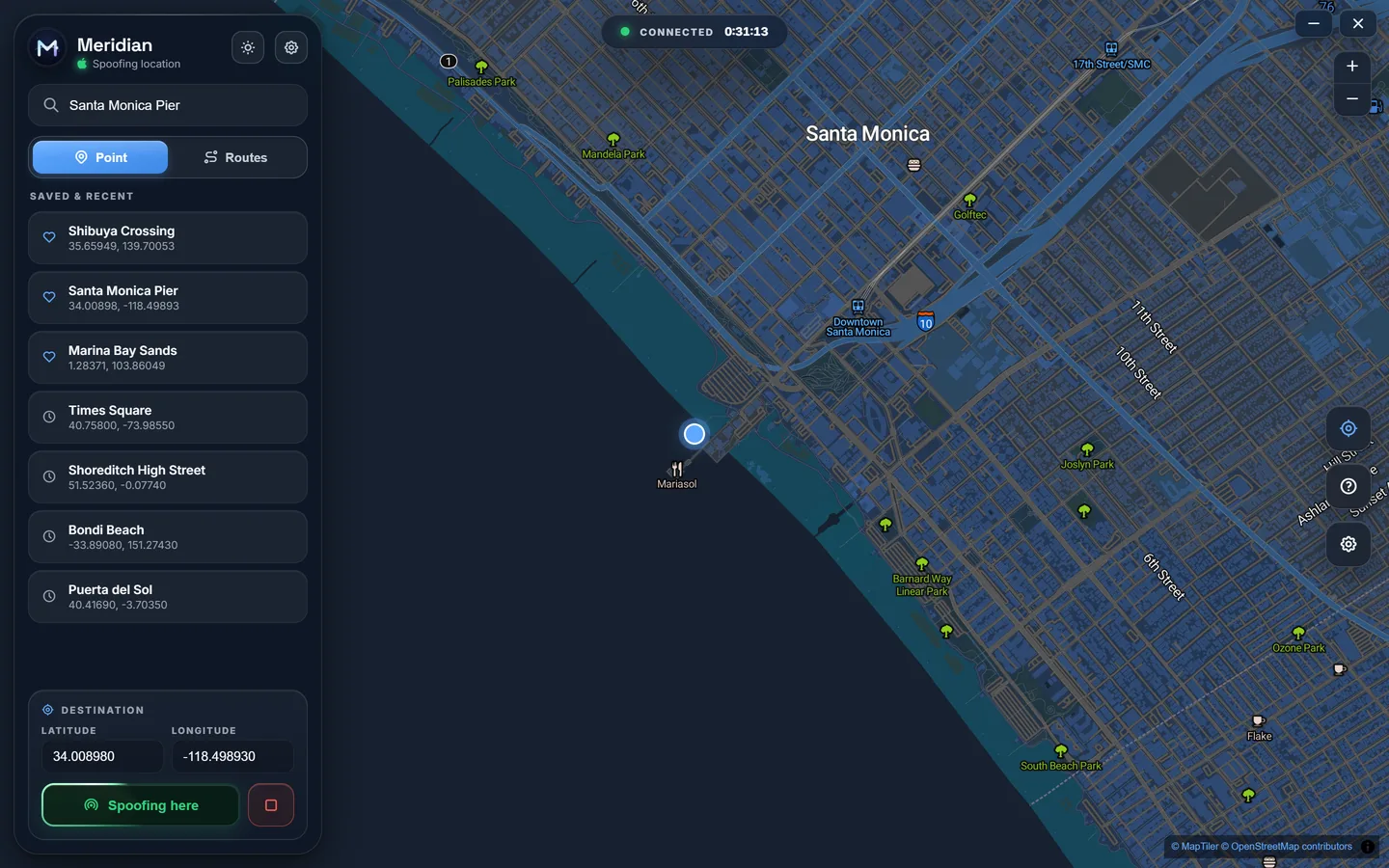
Search any place. Be there in one click.
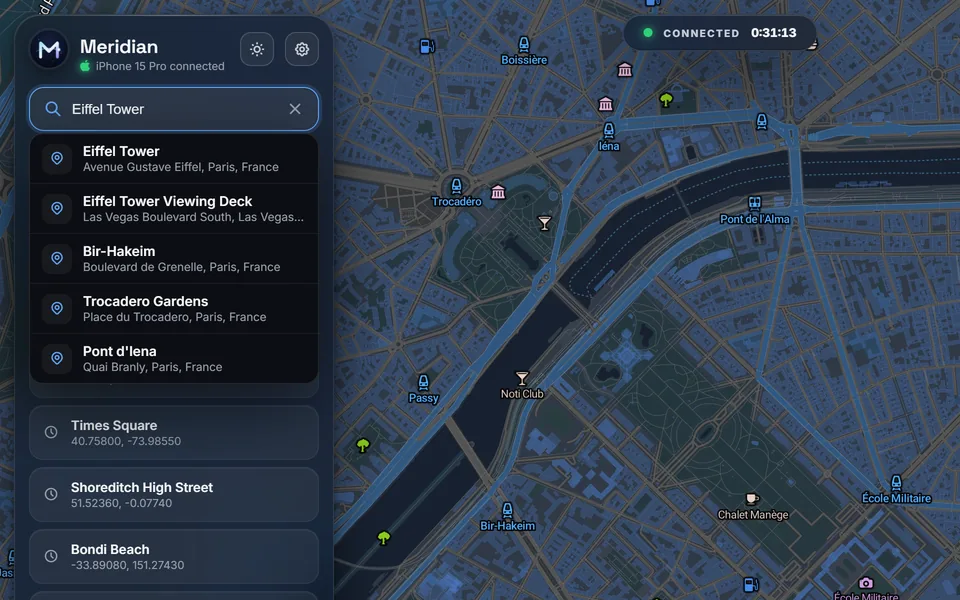
Type an address, a landmark or a postcode, pick the result, and press Spoof here. Your iPhone is there in seconds, and every app sees it.
- Search worldwide for streets, landmarks, stations and parks, in the language you choose.
- Click anywhere on the map, or type an exact latitude and longitude.
- Saved and recent places sit in the sidebar, one click from going back.
Routes
Drive real routes, not straight lines.
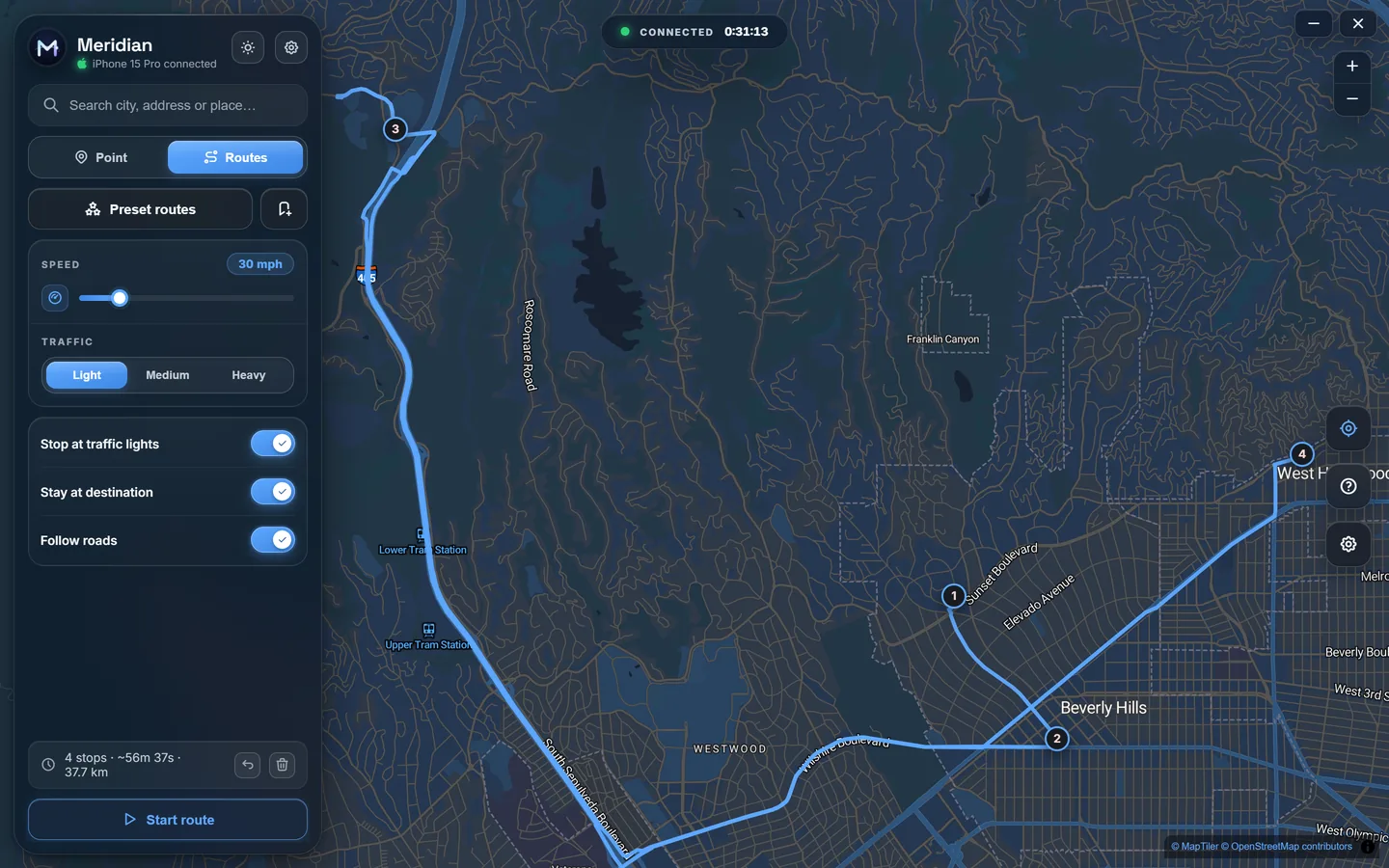
Drop stops on the map and Meridian One snaps the path to real roads, then moves your iPhone along it at the speed you set.
- Follows real roads between as many stops as you like.
- Any pace, from a stroll to the motorway, with light, medium or heavy traffic.
- Stops at traffic lights, holds at the destination, and pauses or carries on when you say.
- Preset city drives to start with, and your own routes saved for later.
Realism
Movement that looks like the real thing.
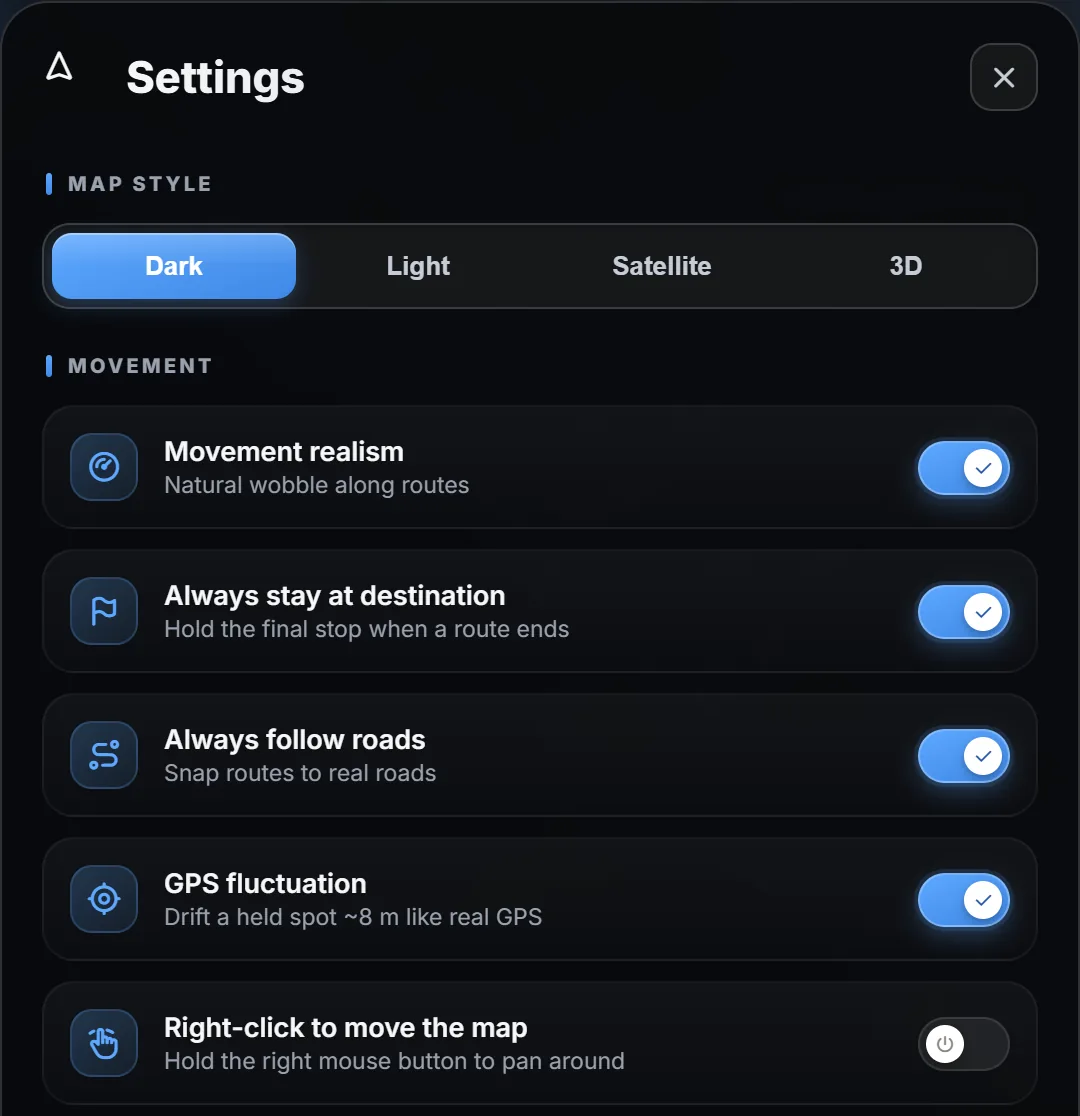
Real GPS is never perfectly still and never perfectly straight. Meridian One can behave the same way, so a held spot or a long drive reads like a phone in a pocket.
- Natural wobble along routes instead of a ruler-straight track.
- GPS fluctuation drifts a held spot by around 8 metres, like a real fix.
- Stay at destination keeps you at the final stop when a route ends.
Maps
Four ways to see the world.
Dark for late nights, light for daytime, satellite for the real thing, and 3D buildings when you want to see exactly which corner you're standing on.

Everything you need, nothing you don't.
One window on your PC. Every feature is in every plan.
Exact coordinates
Type a latitude and longitude to six decimal places for a precise spot.
Saved places
Favourites and recents stay on your PC, encrypted with AES-256.
Pause and carry on
Pause a journey mid-route, hold where you are, then continue.
Speed and traffic
Set any pace and simulate light, medium or heavy traffic.
iOS 17 tunnel handled
Meridian One opens Apple's secure developer tunnel for you, automatically.
Guided setup
A step-by-step check of the driver, the connection and Developer Mode.
Results in your language
Choose the language place names come back in when you search.
Light and dark
A light and a dark theme, each with matching map styles.
How it works
Set up in a few minutes. Then it's one click.
Connect your iPhone
Plug it into your PC with a USB cable and tap Trust on the phone. Meridian One checks Apple's USB driver is in place and tells you if anything is missing.
Turn on Developer Mode
A one-time switch in your iPhone's Privacy and Security settings, on iOS 16 and later. Meridian One's setup guide shows you exactly where it is.
Pick a place and press Spoof here
Search, click the map or plan a route. Your iPhone moves straight away. Press Stop when you want your real location back.
Built for people who work with location.
Test, demo and debug location features on a real iPhone without leaving your desk.
App developers
See exactly what your users see in another city.
- Test geofences and region monitoring
- Check store finders and local results
- Walk through location permission flows
QA and support
Reproduce the bug at the spot it was reported.
- Jump to a customer's exact coordinates
- Replay a route at a fixed speed
- Compare behaviour across countries
Demos and content
Show a location-aware app working live, anywhere.
- Present from any city in the world
- Record walkthroughs on a real device
- No travel, no fake screenshots
Pricing
Start free. Pay for the time you need.
Every plan includes every feature. One key activates one PC.
Free trial
One hour, once per PC
- Every feature unlocked
- No card, no account
- Start it inside the app
1 month
30 days on one PC
- Every feature
- Updates included
- Offline for up to 14 days
1 year
Works out at £3.33 a month
- Every feature
- Updates included
- Offline for up to 14 days
Launch prices in GBP. Keys go on sale soon: join early access and you'll hear first.
Early access
Be first in line.
Meridian One is opening to a small group first. Leave your email and we'll send you the download and your free trial the moment your place comes up.
- One email when it's ready. No newsletter.
- Your details stay with us. Never sold or shared for marketing.
- Changed your mind? Ask and we'll delete them.
Questions, answered.
Do I need to jailbreak my iPhone?
No. Meridian One uses DT.SimulateLocation, the developer service Apple built into iOS so Xcode can simulate location. You turn on Developer Mode yourself, once, and nothing is installed on the phone.
Which iPhones and iOS versions work?
Meridian One is built for iOS 17 and later. On those versions it opens Apple's secure developer tunnel for you, which is why Windows asks to run it as administrator.
Is there a Mac version?
Not yet. Meridian One runs on 64-bit Windows 10 and Windows 11.
How do I get my real location back?
Press Stop. Your iPhone goes straight back to its real location. If Meridian One ever closes unexpectedly, restarting the iPhone clears it too.
Does the cable need to stay plugged in?
Keep the iPhone connected while you use Meridian One, so it can move you along routes and bring you back when you press Stop.
Can apps tell?
Apps receive the location through iOS like any other fix. Some services also check other signals, such as your network, and many apps and games forbid changing your location in their terms. Check before you use it with one.
Is it legal?
Changing the location your own device reports is not illegal in itself, but you're responsible for how you use it. Don't use Meridian One to mislead people, to commit fraud, or to break the terms of an app or service.
How does licensing work?
One key activates one PC. Keys look like MERIDIAN-XXXXXX-XXXXXX-XXXXXX. Meridian One checks in with our server from time to time, and keeps working for up to 14 days if you're offline.
Do I need an account?
No. A key works on its own. If you want your licences in one place, sign in with just your email address: we send a six-digit code, so there's no password to remember.
Can I move my licence to a new PC?
Yes. Get in touch with your key and we'll move it for you.
Your iPhone, anywhere.
Join early access and try every feature free for an hour.